Background Rod Timers
Multi-rod timer system that runs in the background when switching screens, with persistent state across app sessions
Free
Core Feature
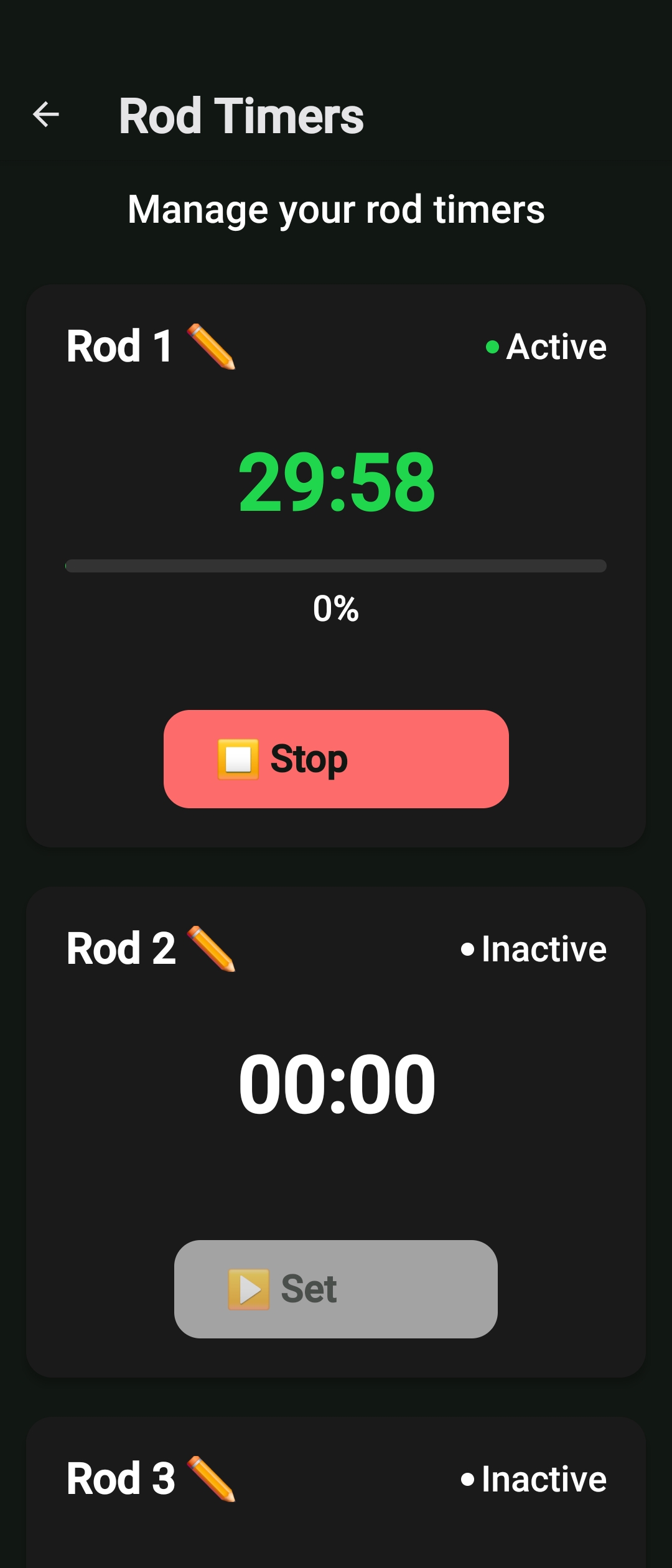
Multi-rod timer system that runs in the background when switching screens, with persistent state across app sessions
Never lose track of your fishing time again with our advanced multi-rod timer system. Set timers for multiple rods simultaneously, and they'll continue running even when you switch between screens or close the app. Perfect for carp fishing, pike fishing, or any situation where timing is crucial.
Timers continue running even when you switch screens or use other apps, ensuring you never miss important timing cues.
Set and manage timers for multiple rods simultaneously, perfect for carp fishing with multiple lines in the water.
Timers maintain their state across app sessions, so your timing continues even if you restart the app or your device.
Receive notifications when timers complete, with customizable alerts and vibration patterns for different rod types.
Choose the duration for each rod timer, from minutes to hours. Set different times for different rods based on your fishing strategy.
Start your timers and they'll continue running in the background. Switch between screens, use other apps, or even close Catch Vault - timers keep running.
Get notified when timers complete with customizable alerts. Check timer status anytime and manage multiple timers simultaneously.
Download Catch Vault and start using background rod timers to improve your fishing success and never miss important timing cues.